Are you a busy gamer juggling work family and life but still crave that perfect Minecraft experience This comprehensive guide will walk you through building an optimized gaming PC for Minecraft in 2026 ensuring smooth gameplay stunning visuals and value for your hard earned money Discover how to choose the right components troubleshoot common issues and balance your gaming passion with everyday responsibilities Our expert advice covers everything from budget friendly options to performance upgrades helping you create a reliable system that lets you unwind socialize and explore endless blocky worlds without frustration Learn about the latest trends essential hardware and smart strategies to make your gaming time truly count keeping you connected to friends and the vibrant Minecraft community This resource is designed for the modern adult gamer who values quality and efficiency in their digital escape We address common pain points like performance drops setup hurdles and smart upgrade paths allowing you to maximize your enjoyment without sacrificing your budget or your peace of mind
Q: What is the ideal budget for a smooth Minecraft PC build in 2026?
A: For a smooth Minecraft experience in 2026 a mid-range budget of around 800-1200 USD is ideal. This allows for a dedicated GPU like an RTX 4060 or RX 7600 a capable CPU like a Ryzen 5 or Core i5 and 16-32GB of RAM ensuring high settings moderate shaders and modpack compatibility without lag. Entry-level builds can start around 500-700 USD for vanilla gameplay.
Q: Which specific CPU brands are best for Minecraft's single-core performance?
A: Both Intel and AMD offer excellent CPUs for Minecraft's single-core demands. For Intel the Core i5-13600K or i5-14600K are strong contenders. For AMD the Ryzen 5 7600X provides great value, while the Ryzen 7 7800X3D with its large L3 cache is currently considered a top performer for gaming including Minecraft, offering superior frame rates in many scenarios.
Q: Is 16GB RAM enough for Minecraft with mods or should I get 32GB?
A: 16GB of DDR4 or DDR5 RAM is sufficient for vanilla Minecraft and most moderate modpacks. However if you plan on running very heavy modpacks hosting a small server for friends or frequently multitasking while gaming (like streaming) 32GB of RAM is highly recommended. It provides ample headroom preventing memory bottlenecks and ensuring a consistently smooth experience.
Q: Do I need an expensive graphics card for Minecraft ray tracing and shaders?
A: For Minecraft ray tracing and demanding shader packs you will need a dedicated mid to high-end graphics card. An NVIDIA RTX 4060 or AMD RX 7700 XT is a good starting point for 1080p/1440p with moderate visual enhancements. For full ray tracing at higher resolutions like 4K you would need an NVIDIA RTX 4070 SUPER or better due to NVIDIAs stronger ray tracing hardware.
Q: What storage type is essential for fast Minecraft load times?
A: For fast Minecraft load times and overall system responsiveness an NVMe SSD (Solid State Drive) is absolutely essential. These drives connect directly to your motherboard via a PCIe slot offering significantly faster speeds than traditional SATA SSDs or HDDs. A 1TB NVMe SSD provides ample space for your operating system Minecraft and other games ensuring quick world loading.
Q: Can I use an older CPU or GPU for a new Minecraft PC build?
A: While you can technically use older CPUs or GPUs for a Minecraft PC build in 2026 performance will vary greatly. For a truly smooth experience with modern Minecraft features like high settings shaders or modpacks it is generally recommended to use components from the last 2-3 generations (e.g. Intel 12th gen+ AMD Ryzen 5000 series+ GPUs like RTX 30/40 series or RX 6000/7000 series) to avoid frustrating bottlenecks and ensure compatibility.
Q: How often should I consider upgrading my Minecraft gaming PC?
A: For most adult gamers balancing life and budget a full PC upgrade every 3-5 years is a reasonable cycle to stay current with performance demands. However component specific upgrades like a new GPU or adding more RAM can be done more frequently (every 1-2 years) to address specific performance bottlenecks without replacing the entire system. Focus on upgrading the component that is currently limiting your Minecraft experience.
Hey there fellow gamer! If you are anything like the average US gamer today you are likely balancing a demanding job family life and maybe even a few hobbies outside of clicking heads or crafting pickaxes. You probably squeeze in your gaming sessions after the kids are asleep or during a precious lunch break. For many of us gaming is more than just a pastime; it is a way to unwind connect with friends or even build new skills. Minecraft with its endless possibilities for creativity exploration and social interaction remains a beloved escape but let us be real nothing kills the vibe faster than a laggy blocky mess or constant crashes right
You are not alone in wanting a smooth seamless experience. Recent data shows that around 87% of US gamers play regularly often dedicating 10 plus hours a week to their favorite titles. While mobile gaming continues its dominance a significant chunk of that time is still spent on PCs especially for immersive experiences like Minecraft with its rich modding community and stunning ray-traced visuals. But how do you get that buttery-smooth performance without breaking the bank or spending hours troubleshooting when your time is already so limited
This guide is crafted for you the discerning adult gamer who values performance optimization value for money and staying current without falling for the latest hype. We understand the pain points a frustrating setup performance hiccups and the constant juggle of upgrading hardware on a budget while still managing life. We are here to help you navigate the world of building a gaming PC for Minecraft in 2026 ensuring your blocky adventures are nothing short of spectacular. Let us build your ultimate crafting station!
Why Should I Consider Building a Dedicated Gaming PC for Minecraft?
Building a dedicated gaming PC offers numerous advantages over pre-built systems or laptops especially for a title as versatile and demanding as Minecraft. First and foremost you gain unparalleled control over component selection allowing you to tailor performance precisely to your needs and budget. For Minecraft this means being able to run ultra-high settings realistic shader packs ray tracing and complex mod installations smoothly. Pre-built systems often cut corners on specific components which can bottleneck performance.
Beyond raw power a custom PC offers superior upgradeability. As Minecraft updates with new features or as you explore more demanding modpacks you can easily swap out individual components like the GPU or CPU to maintain optimal performance without replacing the entire system. This saves money in the long run. Furthermore a custom build typically provides better cooling solutions which is crucial for stability and longevity especially during those marathon building sessions with friends. The satisfaction of putting together your own machine also adds a unique layer of connection to your gaming rig.
What are the Absolute Essential Components for a Great Minecraft PC?
To build a solid gaming PC for Minecraft you will need several core components that work in harmony. Think of them as the heart brain and muscles of your system. Here is a breakdown of the essentials:
- CPU (Central Processing Unit): This is the brain handling game logic AI and background tasks. Minecraft benefits greatly from strong single-core performance.
- GPU (Graphics Processing Unit): The muscle responsible for rendering all those blocks textures and shaders. Crucial for high resolutions and visual fidelity.
- RAM (Random Access Memory): Your PCs short-term memory. Important for running the game smooth especially with mods and multiple applications.
- Storage (SSD/HDD): Where your operating system games and files are kept. Fast storage means quicker load times.
- Motherboard: The nervous system connecting all components.
- PSU (Power Supply Unit): Provides power to everything.
- Case: Houses all your components and ensures proper airflow.
- Cooling: Keeps your CPU and potentially GPU from overheating.
Each component plays a vital role in delivering a lag-free immersive Minecraft experience whether you are just punching trees or exploring a heavily modded server with friends. Choosing wisely here is key.
How Much Should I Budget for a Gaming PC Build for Minecraft in 2026?
Budgeting for a gaming PC build is one of the most common concerns for adult gamers especially when balancing other financial responsibilities. Good news you do not need to spend thousands to enjoy Minecraft! Here is a general breakdown for 2026:
Entry-Level ($500-$700): Perfect for vanilla Minecraft at 1080p medium-high settings. You will be able to play with friends and enjoy the core game without major hiccups. Expect integrated graphics or a modest dedicated GPU.
Example Build: AMD Ryzen 5 5600G (with integrated graphics) 16GB DDR4 RAM 500GB NVMe SSD.
Mid-Range ($800-$1200): The sweet spot for most gamers. This budget allows for a dedicated GPU like an NVIDIA RTX 3050/4060 or AMD RX 6600/7600 enabling 1080p high-ultra settings with light shaders and modpacks. This is where you start to see real visual improvements and smoother performance in more demanding scenarios.
Example Build: Intel Core i5-13400F or AMD Ryzen 5 7600X NVIDIA RTX 4060 or AMD RX 7600 32GB DDR5 RAM 1TB NVMe SSD.
High-End ($1300+): For those who want the absolute best including 1440p or 4K Minecraft with ray tracing demanding shaders and massive modpacks. Expect top-tier CPUs and GPUs like the NVIDIA RTX 4070/4080 or AMD RX 7800 XT/7900 XT. This budget ensures future-proofing for years to come and handles virtually anything you throw at it including streaming and other demanding games.
Example Build: Intel Core i7-14700K or AMD Ryzen 7 7800X3D NVIDIA RTX 4070 SUPER or AMD RX 7800 XT 32GB-64GB DDR5 RAM 2TB NVMe SSD.
Remember these are estimates. Prices can fluctuate and sales can offer great opportunities to save. Always research current market prices before buying.
Which CPU is Best Suited for My Minecraft Gaming PC Build?
When it comes to Minecraft the CPU plays a more critical role than many other games due to its heavily procedural world generation and physics calculations. Minecraft loves strong single-core performance over a high core count. This is a crucial distinction that can save you money and headaches.
For 2026 both Intel and AMD offer excellent options:
Intel: The Core i5 K-series (e.g. i5-13600K or i5-14600K) and even the non-K series (i5-13400F i5-14400F) provide fantastic single-core performance at reasonable price points. If your budget allows an i7 offers even more headroom for multitasking or other demanding applications.
AMD: The Ryzen 5 series particularly the Ryzen 5 7600X or the older but still potent Ryzen 5 5600X offers excellent value. For those aiming for the absolute best gaming performance AMDs X3D series (e.g. Ryzen 7 7800X3D) with its huge L3 cache is currently king in many games including Minecraft often outperforming even higher-tier Intel CPUs.
If you are on a tight budget consider an APU like the AMD Ryzen 5 5600G. It has integrated graphics good enough for vanilla Minecraft at 1080p low-medium settings allowing you to upgrade to a dedicated GPU later when funds permit. This strategy offers a viable entry point into PC gaming.
What Graphics Card Delivers the Best Minecraft Experience Especially with Shaders and Ray Tracing?
The GPU is where the visual magic happens and for Minecraft especially if you want shaders ray tracing or high-resolution texture packs it is a non-negotiable component. While vanilla Minecraft can run on modest GPUs or even integrated graphics unlocking the games full visual potential requires a dedicated card.
For 1080p High Settings (Light Shaders): An NVIDIA RTX 3050 or AMD RX 6600 offers solid performance. These cards handle basic shader packs well and provide a significant upgrade over integrated graphics.
For 1080p/1440p Ultra Settings (Moderate Shaders Ray Tracing): This is where current-gen mid-range cards shine. NVIDIA RTX 4060/4060 Ti or AMD RX 7600/7700 XT are excellent choices. NVIDIA cards tend to have an edge in ray tracing performance due to their dedicated RT cores making them a favorite for those wanting the best visual fidelity in Minecraft.
For 1440p/4K Ultra Settings (Heavy Shaders Full Ray Tracing): You will need to step up to an NVIDIA RTX 4070/4070 SUPER/4080 or AMD RX 7800 XT/7900 XT. These cards provide the horsepower for incredibly detailed worlds smooth frame rates even with the most demanding visual enhancements and are perfect for creators or streamers who want top-tier performance.
Keep in mind that Minecrafts ray tracing is often implemented via specific texture packs (like the official RTX pack) or through shader mods so ensure your chosen GPU is compatible with your desired visual setup.
How Much RAM Do I Really Need for Minecraft and Heavy Modpacks?
RAM often referred to as memory is another critical component for Minecraft especially if you dabble in mods or run large servers. It allows your computer to quickly access data the game needs to run.
Minimum (8GB DDR4): Barely enough for vanilla Minecraft. You might experience stuttering if you have other applications open or even with light modpacks. We do not recommend this for a dedicated gaming PC in 2026.
Recommended (16GB DDR4 or DDR5): This is the sweet spot for most vanilla Minecraft players and those using moderate modpacks. 16GB allows for smooth gameplay while running Discord a browser and other background apps simultaneously which is how most adult gamers operate. DDR5 is the newer faster standard but DDR4 is still perfectly viable and often more budget-friendly.
Optimal (32GB DDR4 or DDR5): If you plan on running extremely heavy modpacks hosting a server for friends or doing other memory-intensive tasks like video editing or streaming while gaming 32GB is highly recommended. This provides ample headroom ensuring no memory bottlenecks. With current RAM prices 32GB is an increasingly attractive option for value.
Always opt for RAM with decent speeds (e.g. 3200MHz for DDR4 or 5600MHz+ for DDR5) as faster memory can slightly improve overall system performance in CPU-intensive games like Minecraft.
What Storage Solutions Work Best for a Minecraft Gaming PC?
Storage affects game load times system responsiveness and how quickly you can jump into your latest world. For a gaming PC in 2026 there is really only one choice for your primary drive: an SSD.
NVMe SSD (Recommended): These are the fastest consumer-grade drives connecting directly to your motherboard via a PCIe slot. An NVMe SSD ensures lightning-fast boot times rapid game loading and quick asset streaming within Minecraft. A 1TB NVMe SSD is a great starting point providing ample space for Windows Minecraft and several other games. This month NVMe drives are incredibly affordable making them a no-brainer.
SATA SSD (Acceptable for Secondary Storage): While slower than NVMe drives SATA SSDs are still significantly faster than traditional HDDs. If you need additional storage for less frequently played games or media files a 1TB or 2TB SATA SSD can be a cost-effective secondary drive.
HDD (Avoid for Games): Hard Disk Drives are slow and noisy. While they offer massive storage at a low cost they will severely impact load times and overall system responsiveness. Reserve HDDs only for archiving large files you rarely access if at all.
For your primary drive always go NVMe. The performance boost for system responsiveness and game loading is immense and well worth the investment.
Can I Really Future-Proof My Minecraft PC Build?
The concept of
Detailed guide for building an optimal Minecraft PC in 2026. Optimized for smooth gameplay stunning visuals and modding capabilities. Covers budget friendly to high performance builds. Addresses common pain points for adult gamers including setup and performance issues. Offers strategies for balancing gaming with life and family responsibilities. Features advice on essential hardware components like CPU GPU RAM and storage. Includes troubleshooting tips and future-proofing considerations. Focuses on value for money and staying current with gaming trends. Emphasizes social gaming aspects and skill-building opportunities. Relevant for a US gamer audience with average age 36.
35


My First Gaming PC Build For Minecraft YouTube . Top Minecraft Gaming PCs Java Bedrock Ready Builds Minecraft System Shot 770x514 . Minecraft Themed Gaming PC By YouTube Nate Gentile . I Built The ULTIMATE Minecraft Gaming PC YouTube . Best Gaming PC Builds For 2026 Best Gaming PC Builds For 2026.webp



Tutorial How To Build A Gaming PC In Minecraft YouTube . Minecraft Gaming PC Build PC Building Simulator 139 YouTube . Minecraft Gaming PC House How To Build A Gaming Computer House . The Best Gaming PC Builds For 2026 Top Picks And Reviews Best Pc Build 300x300 . I Built My Gaming PC In Minecraft YouTube


This Custom Gaming PC Is A Minecraft Bee Farm Minecraft Gaming PC . Best Pre Built Gaming Pc For Minecraft At Zara Khull Blog . How To Build Minecraft Gaming Pc At Logan Kemp Blog . Gaming PC Build For Modded Minecraft 200FPS 400 YouTube . How To Build A Gaming PC In Minecraft Tutorial 1 19 Easiest Way



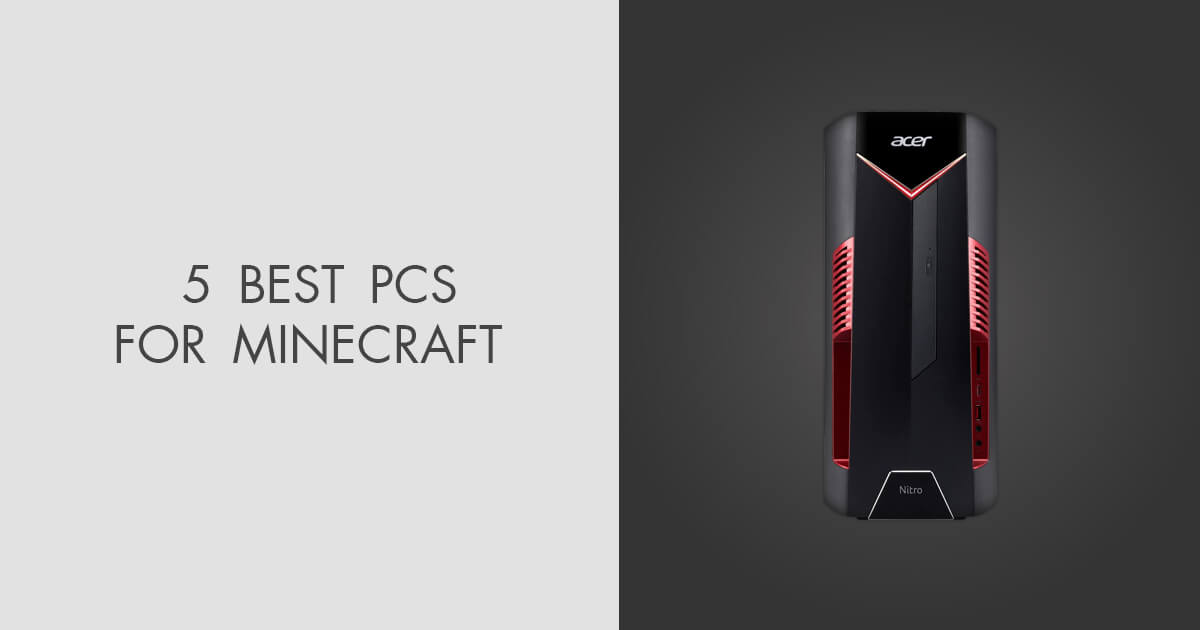
The Ultimate Gaming PC Build 2026 Guide By Xidax 1 Unnamed . Minecraft EPIC GAMING PC SETUP How To Build YouTube . Fully Scaled RTX 3070 Gaming PC Built In Minecraft Took 45 Hours Gaming PC In Minecraft 1392x884 . Minecraft Gaming Setup Build Tutorial YouTube . 5 Best PCs For Minecraft In 2026 News Fb Image 8488
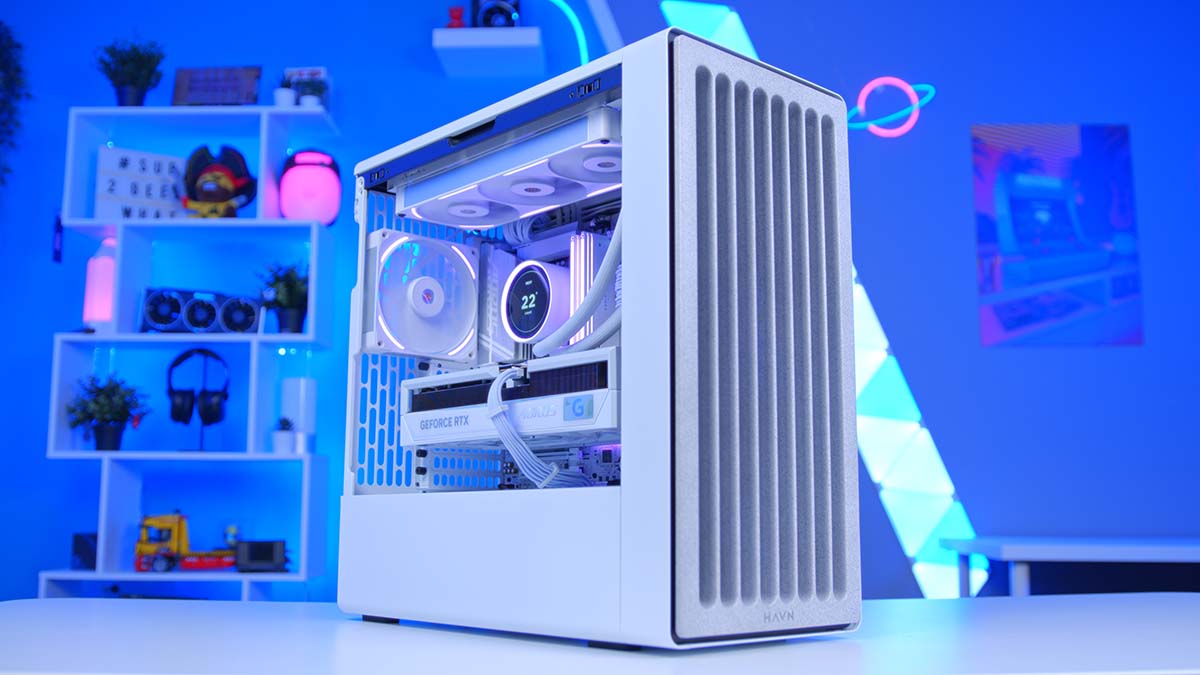

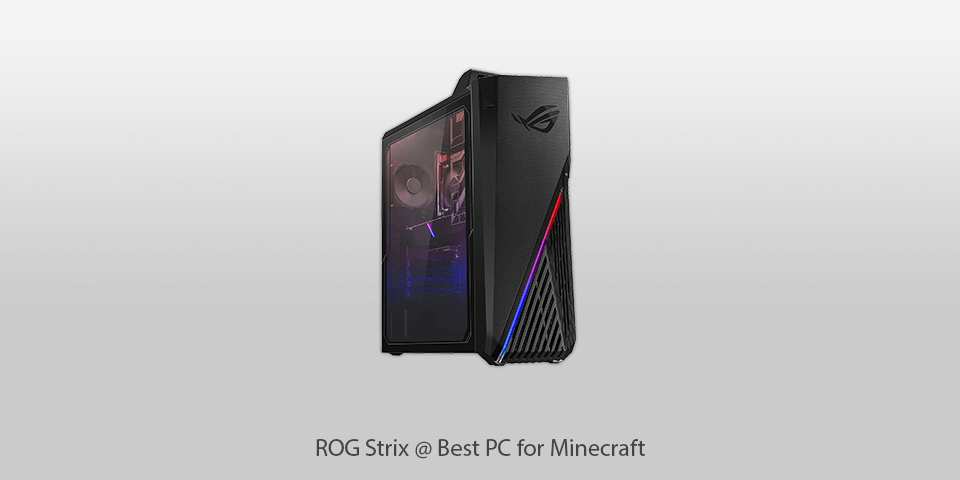

Building An Enthusiast Grade PC Build For 2026 GeekaWhat FI DM87 HAVN BF RTX 5090 Build . Best PC Builds For Gaming 2026 Ultimate Guide To Building Your Dream Best PC Builds For Gaming 2026 1024x683 . 5 Best PCs For Minecraft In 2026 Pc Rog Strix . Best Budget Gaming PC Builds For 2026 500 800 Best Budget Gaming PC Builds For 2026.webp. How To Make A Gaming Pc In Minecraft YouTube



How To Make A Pc Gaming Setup In Minecraft At Richard Schrader Blog . Best Gaming PC Builds For 2026 Pc Build Help 300x300 . BIOMES MOBS SPICEWOOD MORE EVERY CONFIRMED MINECRAFT UPDATE FOR 1767383766 . Top 15 Minecraft Seeds 2026 2a94dbd3 903b 4524 Be23 . How To Build A Gaming PC In 2026 Complete Beginner Guide How To Build Gaming Pc 2026


BUILDING A GAMING PC In Minecraft YouTube Oar2 . Best Gaming Setup For Minecraft 81wAzQIOZXL . Super Cheap Gaming PC Build For Minecraft 200FPS 300 YouTube . The ULTIMATE AMD Gaming PC Build 2026 YouTube . Best Pre Built PCs For Playing Minecraft In 2025 Windows Central