Are you curious about Roblox Discord servers and how they can enhance your gaming experience? This comprehensive guide dives deep into the world of Roblox and Discord, explaining why these communities are thriving hubs for players. We'll explore everything from finding official game servers to understanding moderation and safety protocols. Discover how millions of players connect, trade, collaborate, and share their passion for Roblox creations. This informational resource provides crucial insights, ensuring you navigate these digital spaces effectively. Learn the ins and outs of joining and participating in diverse communities, making your Roblox journey even more engaging and connected. We cover essential tips for new users and seasoned players alike.
- How do I join a Roblox Discord server? - Find an invite link from a game's official Roblox page, developer's social media, or trusted community lists. Click the link, and if you have Discord installed, it will prompt you to join. Always verify the source for safety.
- Are Roblox Discord servers safe for younger players? - Many servers are moderated to be safe, but parental supervision is recommended. Look for servers with strict rules and active moderation. Teach children not to share personal information and to report anything suspicious.
- What kind of content can I find on Roblox Discord servers? - You'll find discussions about specific Roblox games, trading channels for virtual items, LFG (Looking for Group) channels, announcements from developers, fan art, and general community chat. Content varies widely by server.
- How can I prevent scams when using Roblox Discord for trading? - Always use trusted middleman services for high-value trades. Verify a user's reputation within the server. Never share your Roblox password or click suspicious links. If an offer seems too good to be true, it likely is.
- Can I get banned from Roblox for my activity on Discord? - Yes, if your Discord activity violates Roblox's Terms of Service or Community Standards, especially regarding harassment, exploits, or illegal content, it could lead to consequences on your Roblox account.
- What is the purpose of Discord bots in Roblox servers? - Discord bots automate tasks like moderation, game event notifications, music playback, and providing in-game stats. They enhance server functionality, keep communities organized, and provide engaging features for members around the clock.
- How do I find a Discord server for a specific Roblox game? - Check the Roblox game's description page for a Discord link. Many developers prominently display it there. You can also search on the game's official social media channels or reliable fan wikis for verified community hubs.
Welcome to the ultimate living FAQ about Roblox Discord servers, updated for the latest trends and patches in 2024! If you're wondering how to level up your Roblox experience by connecting with vibrant communities, you've landed in the right place. We've gathered the most pressing questions, from beginner concerns about safety to advanced tips for leveraging Discord for game development and trading. Consider this your go-to resource for navigating the exciting world where Roblox and Discord intersect, offering practical advice and insights to make your digital journey both enjoyable and secure. Let's dive into connecting, collaborating, and creating like never before!
Most Asked Questions about Roblox Discords
What is a Roblox Discord server?
A Roblox Discord server is an online community hub specifically designed for players, developers, and fans of Roblox. It allows real-time text, voice, and video chat, enabling users to discuss games, find trading partners, seek help, or organize events within the Roblox ecosystem. These servers foster community and enhance the overall social gaming experience.
How do I find official Roblox Discord servers?
To find official Roblox Discord servers, always check the game's official Roblox page description, developer's social media (like Twitter or YouTube), or their official website. Developers usually provide direct, verified invite links there. Avoid unofficial sources to ensure you're joining a legitimate and safe community associated with your favorite games. Always prioritize verified links.
Are Roblox Discord servers safe for kids?
Safety on Roblox Discord servers largely depends on moderation. Many servers have strict rules and active moderators to ensure a safe environment for younger users, blocking inappropriate content and behavior. However, parental supervision is recommended. Encourage kids to join well-known, actively moderated servers and to never share personal information with strangers. Report any suspicious activity immediately.
What are the best tips for joining a Roblox trading Discord?
When joining a Roblox trading Discord, first, verify the server's legitimacy through trusted sources. Second, read all trading rules and guidelines carefully before attempting any trades. Third, use trusted middleman services provided by the server for high-value transactions to prevent scams. Fourth, always check a user's reputation if possible. Lastly, be patient and clear in your offers.
How can I prevent scams on Roblox Discord servers?
To prevent scams, never click suspicious links or download unknown files. Always use trusted middleman services for high-value trades within reputable servers. Be wary of offers that seem too good to be true. Never share your Roblox password or personal information. Report any suspicious users or activity to server moderators immediately. Trust your instincts; if something feels wrong, it probably is.
Can I get banned from Roblox for Discord activity?
Yes, you can potentially get banned from Roblox for certain Discord activities, especially if they violate Roblox's Terms of Service or Community Standards. This includes engaging in illegal activities, harassment, spreading misinformation, or promoting exploits that affect Roblox games. Your actions outside of Roblox, if they reflect poorly on the platform or its users, can lead to consequences within Roblox. Always adhere to both platform's rules.
How do game developers use Discord for Roblox game development?
Roblox game developers extensively use Discord for collecting community feedback, organizing playtesting sessions, and communicating directly with their player base. It serves as a hub for bug reports, suggestions, and announcing updates. This direct interaction helps them iterate on game features, build a loyal community, and ensure their creations align with player expectations. It's a vital tool for engaging and informing their audience.
What kind of communities can I find on Roblox Discords?
On Roblox Discords, you'll find a vast array of communities. There are official game servers for popular titles like Adopt Me or Blox Fruits, fan communities for specific creators, trading hubs for virtual items, development servers for aspiring game designers, and general Roblox discussion groups. Whether you're into role-playing, obbies, or competitive games, there's likely a Discord server tailored to your interests, fostering unique social experiences.
Still have questions?
Don't worry, the Roblox and Discord universe is vast! If you're looking for more in-depth guides, check out our articles on 'Mastering Roblox Trading,' 'Discord Moderation Best Practices,' or 'Advanced Roblox Game Development Tips.' These resources will help you further enhance your skills and knowledge.
Hey fellow gamers, ever wondered where all the action happens outside of Roblox itself? Many of you ask, "What exactly are Roblox Discord servers and why should I care?" Well, picture this: Roblox Discord servers are vibrant digital hangouts where millions of players connect, chat, trade, and organize their adventures far beyond the game client. It's like finding the ultimate clubhouse for your favorite Roblox experiences, complete with dedicated channels and passionate members. This year, these communities have become even more central to the Roblox universe, offering a dynamic space for interaction and collaboration. Whether you're hunting for a rare item, seeking teammates, or just want to chat about upcoming game updates, Discord is often the place to be.
Why are Roblox community servers so vital to the gaming experience? They provide an organized platform for players to deepen their engagement. You can find specific groups for popular games, allowing you to discuss strategies, share creations, and even participate in exclusive events. This sense of belonging truly enhances the overall Roblox journey for many.
Is it truly safe to join Discord servers when playing Roblox? Absolutely, but with some smart precautions. Safe Discord servers for Roblox prioritize moderation and have strict rules against inappropriate content. Always look for servers with active moderators and read their guidelines carefully before diving in. Many official game developers also host their own, well-regulated servers.
Where can you find reliable Roblox trading Discord servers? The best way is often through trusted community recommendations or by searching within the game communities themselves. These servers are goldmines for players looking to buy, sell, or trade limited items and virtual goods. Always use caution and trusted middlemen when dealing with high-value trades.
When is the best time to look for best Roblox game Discords? Honestly, any time is a good time! New and exciting servers pop up constantly, often tied to game launches or major updates. Keeping an eye on game announcements or popular Roblox YouTubers can often lead you to fantastic, active communities. You'll find servers for everything from Blox Fruits to Adopt Me, each with its own unique vibe.
How to find Roblox Discord servers is simpler than you might think. Many game developers link their official Discord servers directly within their Roblox game pages or social media channels. You can also use Discord's own server discovery feature or community-curated lists online. Just remember to verify links and always join through official sources if possible for the best experience.
Beginner / Core Concepts
1. **Q:** What exactly is a Roblox Discord server and why would I want to join one?
**A:** I get why this confuses so many people when they first hear about it! A Roblox Discord server is essentially a digital community hub where players of specific Roblox games, or Roblox in general, gather to chat, organize, trade, and even develop together. Think of it as a super-powered chat room designed for gamers. You'd want to join one because it's where you'll find the most up-to-date information about your favorite games, connect with fellow fans for trading or team-ups, and often get exclusive sneak peeks or participate in events not available in the game itself. It really brings a whole new layer to the Roblox experience, making it more social and collaborative. It's where the real community spirit thrives outside of the game. You've got this!
2. **Q:** How do I find safe and legitimate Roblox Discord servers without falling for scams?
**A:** This one used to trip me up too, and it's super important to navigate safely! The best way to find legitimate servers is to look for official links provided directly by game developers on their Roblox game pages, their official Twitter accounts, or verified YouTube channels. Avoid clicking random links from strangers. Look for servers with a large number of members and active moderators; these are usually good signs of a well-maintained community. Always check the server rules upon joining and never share personal information. If something feels off, it probably is. Trust your gut and prioritize your safety above all else when exploring new communities. Try this tomorrow and let me know how it goes.
3. **Q:** What are the basic rules and etiquette I should follow when I join a Roblox Discord server?
**A:** Joining a new community can feel a little daunting, but it's easier than you think! When you hop into a Roblox Discord, the absolute first thing you should do is read their rules channel. Every server has its own vibe and guidelines, but generally, expect common courtesies like no spamming, no inappropriate language, and respect for other members and moderators. Don't self-promote unless there's a dedicated channel for it. Be patient when asking questions and try searching if your question has been asked before. Engaging respectfully makes the experience better for everyone. Remember, these are communities built on shared interests, so being a good digital citizen is key. You've got this!
4. **Q:** Is it free to use Discord for Roblox, and what do I need to get started?
**A:** Absolutely, it's totally free to use Discord for all your Roblox needs! That's one of the best parts. To get started, you'll simply need to download the Discord application on your PC, Mac, or mobile device, or you can even use it directly through your web browser. Once you've downloaded it, you'll create a free account with an email and password. After that, you're all set to join servers using invitation links, which you'll typically find on Roblox game pages or shared by friends. It's a straightforward process that opens up a whole new world of interaction for your Roblox adventures. It's really that simple to jump in and start connecting!
Intermediate / Practical & Production
1. **Q:** How do I efficiently find specific channels for trading, LFG (Looking for Group), or game updates within a busy Roblox Discord?
**A:** Navigating a busy server can feel like a maze, I totally get it! Most well-organized Roblox Discords have clear channel categories, so look for headings like 'Trading Hub,' 'LFG,' or 'Announcements.' Utilize the search bar within the Discord app to quickly find keywords related to what you're looking for. Also, many servers have a 'rules' or 'info' channel that outlines the purpose of each channel. Don't be afraid to ask a friendly question in a general chat if you're truly stuck; someone will usually point you in the right direction. Learning these little tricks helps you cut through the noise and get straight to the information you need, making your experience much more productive. You'll master it in no time!
2. **Q:** What are Discord bots, and how do they enhance a Roblox server experience?
**A:** Discord bots are like helpful little assistants that live in a server, and they really supercharge the experience! They can do a ton of things, from moderating chat and enforcing rules automatically to playing music, managing giveaways, or even fetching game stats directly from Roblox. For a Roblox server, bots might track in-game events, notify members of new limiteds, or even help with trading verification. They automate repetitive tasks, making the server run smoother and providing fun or useful features that human moderators couldn't keep up with. Think of them as the unsung heroes that keep the community vibrant and organized around the clock. They're pretty neat, right?
3. **Q:** How can I promote my own Roblox game or content effectively and appropriately on Discord?
**A:** This is a common goal, and it's all about being smart and respectful! First, check the server's rules very carefully to see if self-promotion is even allowed, and if so, in which specific channels. Many servers have dedicated 'showcase' or 'self-promo' channels for this very purpose. Don't just drop a link and leave; instead, engage with the community first, build some rapport, and then share your work genuinely when it feels natural and relevant. Offer value to others, and they'll be more receptive to checking out your creations. Over-promoting or spamming will get you muted or banned faster than you can say 'Roblox!' Be genuine and you'll find much more success. You've got this!
4. **Q:** What are some common moderation practices in Roblox Discord servers, and why are they important?
**A:** Moderation is the backbone of any good Discord server, ensuring it stays a safe and pleasant place for everyone. Common practices include setting up automated filters for inappropriate language, having human moderators actively monitor chats, and establishing clear guidelines for behavior. Moderators often issue warnings for minor infractions and can mute, kick, or ban users for more serious offenses like harassment, spamming, or promoting scams. These practices are crucial because they protect younger players, maintain a respectful environment, and prevent the server from becoming chaotic or toxic. A well-moderated server is a healthy server, fostering a positive community experience for all its members. It really makes a huge difference!
5. **Q:** Can I create my own Roblox-themed Discord server, and what tips do you have for setting it up successfully?
**A:** Absolutely, you totally can create your own Roblox-themed Discord server, and it's a fantastic way to build your own community! My top tip for success is to start with a clear purpose: Is it for your game, a fan club, or a specific trading niche? Next, set up clear, concise rules right from the start to establish the server's culture. Organize your channels logically with categories for different topics like 'general chat,' 'announcements,' 'LFG,' and 'media.' Consider adding a few moderation bots to help manage things, even if you're starting small. Most importantly, be an active and engaging presence yourself; your enthusiasm will be contagious and help your community grow. It's a fun journey, you've got this!
6. **Q:** What are the best strategies for using Discord to find trading partners for rare Roblox items?
**A:** Finding trading partners on Discord can be super effective, but you need a strategy! First, join reputable Roblox trading Discord servers, often found through popular Roblox YouTubers or dedicated trading communities. Once in, look for specific trading channels and familiarize yourself with their formats. Always post clear, concise offers for what you're buying/selling/trading, including images if possible, and state your desired items. Be patient, respectful, and willing to negotiate. Use trusted middlemen for high-value trades to prevent scams; many servers offer verified middleman services. Check trade histories or reputations if available. Remember, building a good reputation yourself by being honest and fair goes a long way. Happy trading, you've got this!
Advanced / Research & Frontier
1. **Q:** How do Roblox developers leverage Discord for game testing, community feedback, and direct communication?
**A:** Roblox developers absolutely rely on Discord as a critical tool for development, and it's fascinating to see how they do it! They often set up private alpha or beta testing channels where specific community members can provide real-time feedback on new features or bug reports. This direct line of communication allows for rapid iteration and ensures that updates resonate with their player base. Discord also serves as a primary hub for announcing development roadmaps, holding Q&A sessions, and sharing early concept art, building hype and fostering a sense of community ownership. It's an incredibly efficient way to keep their finger on the pulse of what players want and need. It's a game-changer for modern game dev!
2. **Q:** What are the emerging trends in Roblox Discord community management, especially concerning safety and engagement?
**A:** The landscape of Roblox Discord management is always evolving, and some exciting trends are emerging! We're seeing a stronger emphasis on proactive safety measures, using AI-powered moderation bots alongside human moderators to detect and address harmful content faster, particularly given the younger demographic. There's also a move towards more interactive engagement, with custom bots designed for in-server mini-games, dynamic event scheduling, and tiered roles that reward active participation. Personalization is key, tailoring the server experience to different player segments. These trends aim to create more secure, vibrant, and personalized communities that keep players coming back while ensuring their well-being. It's a smart way to foster positive digital spaces.
3. **Q:** How do large-scale Roblox events or collaborations utilize Discord for coordination and audience participation?
**A:** When it comes to large-scale Roblox events or epic collaborations, Discord becomes an indispensable command center! Organizers use dedicated Discord servers to coordinate massive teams of developers, streamers, and community managers, ensuring everyone is on the same page. For audience participation, they'll host live Q&A sessions, contests, and countdowns to build excitement, often with exclusive drops or in-game rewards tied to Discord activity. Channels are set up for different aspects of the event, like technical support, hype discussions, or sharing fan creations. It's all about creating a unified, real-time communication hub that amplifies the event's reach and directly involves the community, turning viewers into active participants. It's truly amazing to see in action!
4. **Q:** What legal or ethical considerations should Roblox Discord server owners be aware of, especially with a younger user base?
**A:** This is a crucial area, and server owners, especially with a younger audience, need to be super mindful of legal and ethical considerations. The biggest one is privacy: understanding and adhering to COPPA (Children's Online Privacy Protection Act) if you have users under 13. This means not collecting personal information and ensuring a safe environment. Ethically, you have a responsibility to foster a positive, non-toxic space, actively moderating against harassment, cyberbullying, and inappropriate content. Being transparent about rules, having clear reporting mechanisms, and ensuring consistent enforcement are vital. It's about creating a fun digital playground, but also a responsible and safe one where everyone feels welcome and protected. It's a big responsibility, but so worth it!
5. **Q:** How do Roblox Discords contribute to the longevity and sustained engagement of specific games and experiences?
**A:** Roblox Discords play an absolutely massive role in keeping games alive and thriving for the long haul. Think about it: a game might be fun, but a strong community makes it unforgettable. Discord servers create a central meeting point where players can continually discuss strategies, share their triumphs, organize regular play sessions, and even provide direct feedback to developers. This sustained interaction builds loyalty and a sense of shared investment in the game's future. It turns a solitary gaming experience into a social one, driving players back day after day. It’s like a continuous marketing and engagement engine, transforming temporary players into dedicated fans. It’s truly the secret sauce for enduring success in the Roblox ecosystem. You've got this, developers!
Quick Human-Friendly Cheat-Sheet for This Topic
- Always get Discord invite links from official Roblox game pages or trusted sources to stay safe.
- Read the server rules immediately after joining any new Roblox Discord; they're your guide to a good time.
- Look for active moderators and well-organized channels; these are signs of a healthy community.
- Never share personal information, like your real name, address, or Roblox password, with anyone on Discord.
- Utilize Discord bots; they automate cool features and help keep the server running smoothly.
- Be an active, respectful member; engage in chats and contribute positively to the community.
- If you're trading, use trusted middlemen for valuable items to avoid scams – better safe than sorry!
Connecting Roblox and Discord communities; Finding official and unofficial servers; Safety tips for Discord users; Roblox game-specific discussions and trading; How to join and navigate Roblox Discords for enhanced gameplay; Understanding server rules and moderation.
35


Roblox Discord Servers Top Communities To Join In 2026 Frame. How To Connect Roblox To Discord 2026 Full Guide YouTube . How To Connect Roblox To Discord Status Mobile 2026 YouTube . How To Join The Roblox Discord Server 2025 Full Guide YouTube . How Roblox Reports Work A 2026 Player S Guide Oar2


Roblox At GDC 2026 Where To Find Us All Week Roblox. How To Message On Roblox 2026 A Quick Guide . Roblox Ve Discord Ne Zaman A Lacak Bakanl Ktan Yeni A Klama Geldi Discord . How Roblox Reports Work A 2026 Player S Guide SL1500 . Roblox Ve Discord 2026 Ne Zaman A Lacak Eri Im Engeli Neden Roblox Ve Discord 2026 Ne Zaman Acilacak Erisim Engeli Neden Kaldirildi Mi Turkiyenin Sartlari Neler 540x304


How To Add Roblox To Discord Full Guide Techtouchy How To Add Roblox To Discord - Full Guide . Prepare For 2026 With Roblox Trends TikTok Img. Other Ways To Say Discord On Roblox With Examples For 2026 Other Ways To Say Discord On Roblox.webp. ROBLOX IN 2026 YouTube Hqdefault . Cast Your Opinion For Inspire 2026 Community Events Developer 2 1380x776

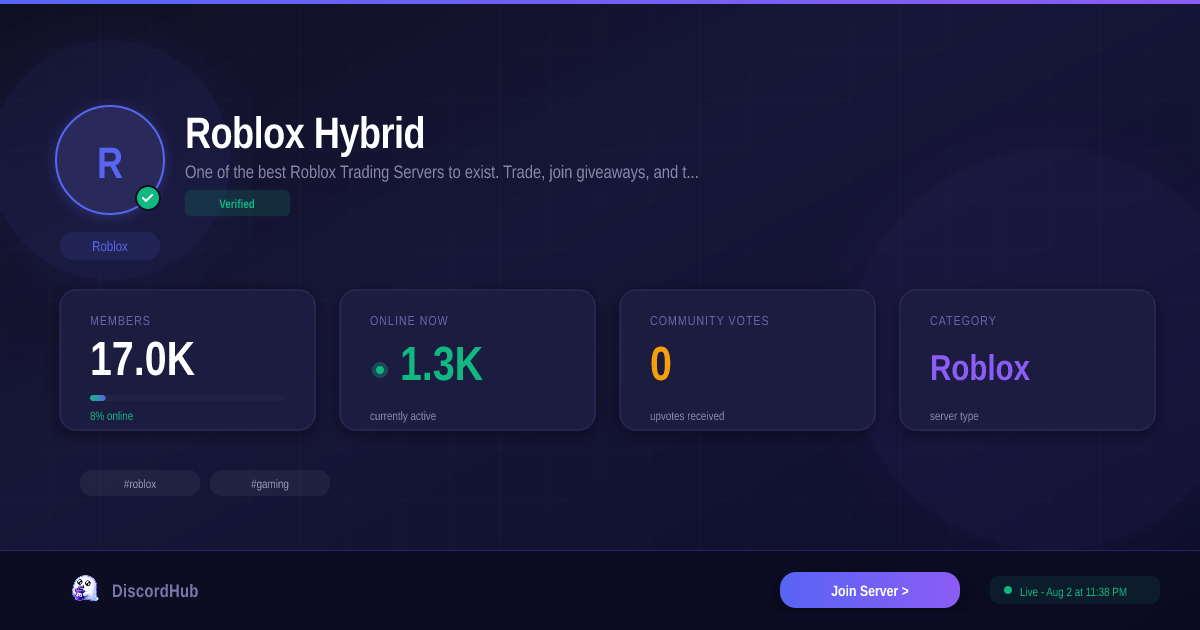


Roblox Realms Simulator Discord Link Official June 2026 MrGuider Roblox Realms Simulator Discord Link Official . Roblox Hybrid Discord 17K Members 1 Roblox Server 2026 Roblox Hybrid . How To Publish A Game On Roblox In 2026 Roblox YouTube . 2026 Roblox Livestream YouTube . What Is RDC In Roblox Roblox Developer Conference 2026 Release Date Roblox At GDC .webp


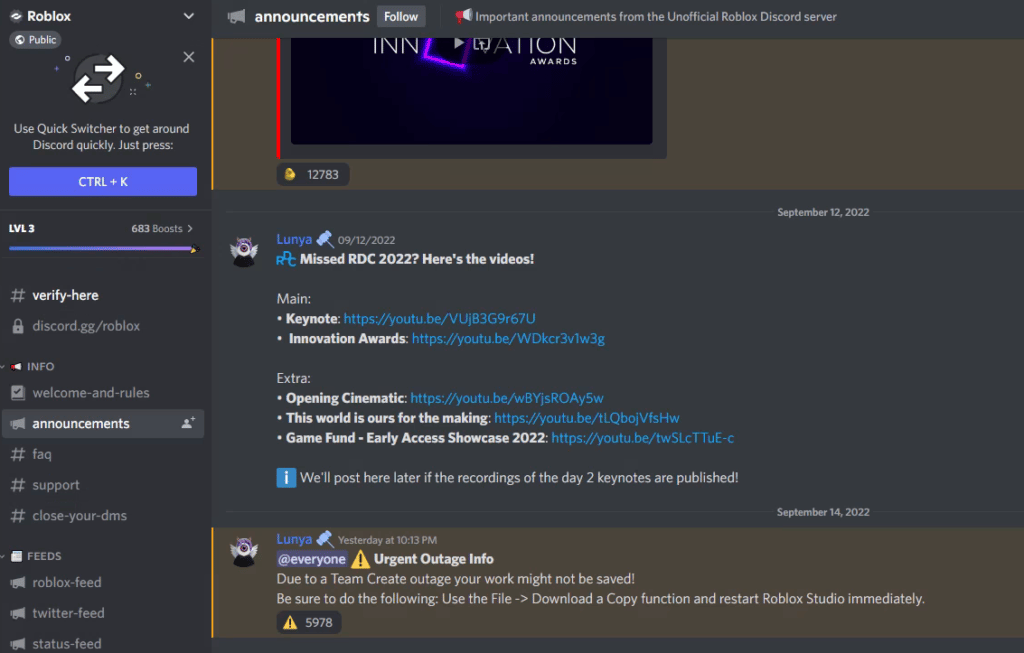
Roblox In 2026 Play On Roblox NoFilter. Bloxlink 2026 Rewrites Roblox Discord Server Setup Rules Th. Roblox Club Roblox Discord Link OFFICIAL July 2026 Try Hard Guides Featured Discord Guide . Is A Roblox Server Discord Right For You In 2026 E5732 1920 . Is A Roblox Server Discord Right For You In 2026 Figure5 1024x653



Is A Roblox Server Discord Right For You In 2026 Best Roblox Discord Servers . Definitive Guide To Roblox 2026 TM 07169 Definitive Guide To Roblox 2026 . Blog 8a3a6bf9 5030 43b4 A92f . ROBLOX VAI MUDAR DE LOGO EM 2026 YouTube . Roblox Kodlar 2026 Promo G Ncel Liste Ve Ba Lang Rehberi EnG Zel Roblox Kodlari 2026 1024x687




Roblox Ve Discord Un Eri Im Engeli Kalkabilir Bakan A Klad Tamindir Roblox Discord Erisim Engeli Aciklamasi . Guide The Bloodiest Roblox Games 2026 Revealed 15 Game Roblox Horror Terbaik 2026 Paling Seram And Bikin Deg Degan 7f944699ce . 2026 Parental Guide For Roblox Usage UnicMinds 2026 Parental Guide For Roblox Usage UnicMinds 1020x1024 . Cara Buat Sistem Checkpoint Di Roblox Studio 2026 Roblox Studio.webp. Roblox Script Discord Servers Are They Safe To Join Now 10 Best Roblox Discord Servers 2024 Gamerode